


Manage the footage
BetterLibrary
Every clip you ever shot, findable.
The archive the camera roll never was, and the bins in a pro editor never became.
From $6 a month · 7-day free trialExplore

 Two native Mac apps for creators
A library that keeps thousands of clips findable, and an editor that cuts a simple video. Native, AI included, and both take orders from Claude Code.
Every clip you ever shot, findable.
The archive the camera roll never was, and the bins in a pro editor never became.

A simple editor. Nothing extra.
As easy as the phone app, on your Mac and your files, with no setup tax.
The phone apps are simple and trapped. The pro editors are capable and slow. Ours keep what each got right and drop the rest.
Swift, a real screen, a keyboard, and files that stay in folders you own. Nothing lives inside an app you cannot get out of.
The model tags in your vocabulary, drafts highlights, writes captions and clones a reel. Every call has a price and every result is yours to approve.
Each app writes a guide into every folder, so Claude Code can run the whole loop while you watch the app do it.
The library knows what you shot. The editor knows what to do with it. Each stands alone; own both and the handoff is a drag.
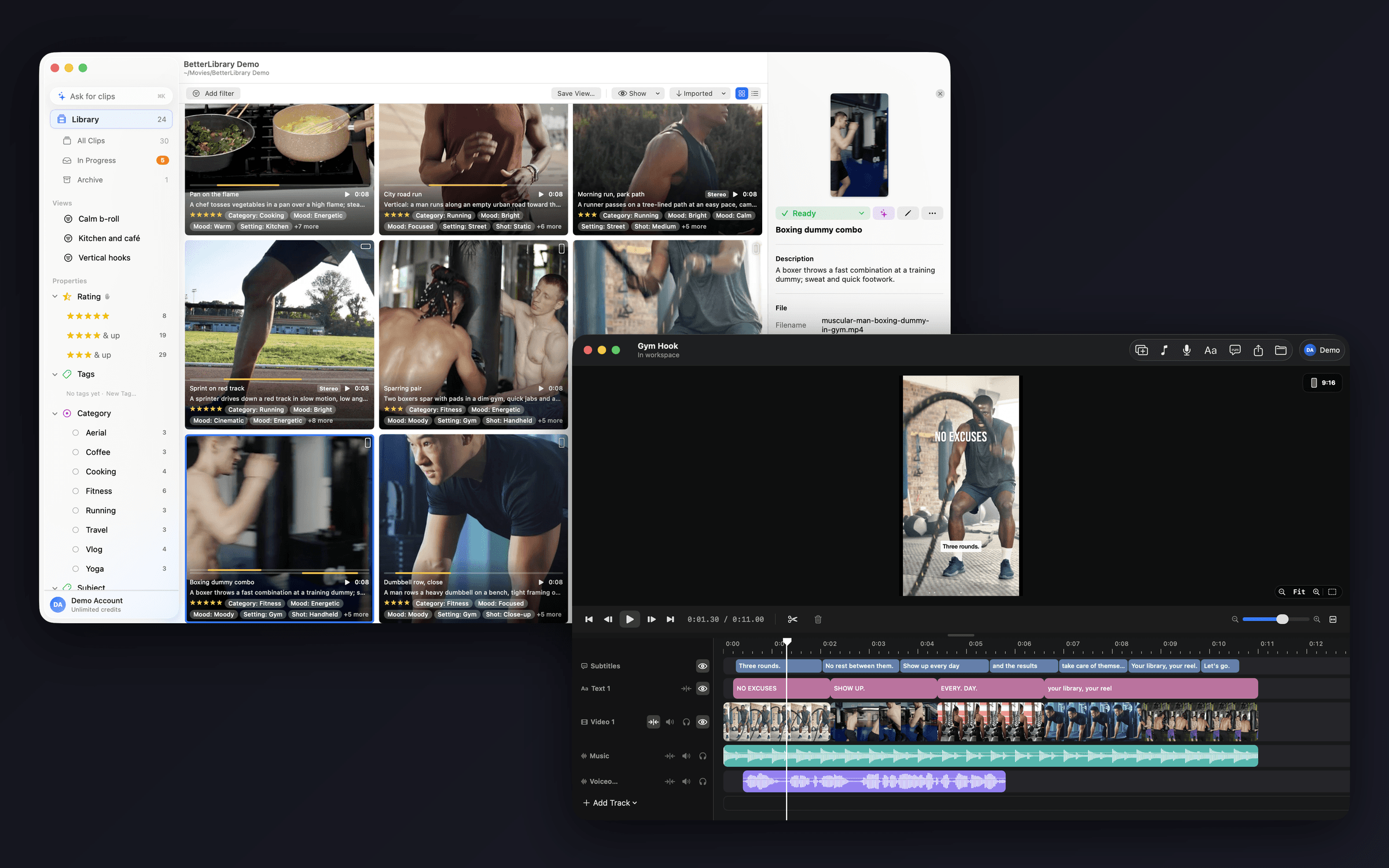
Drop a shoot folder on BetterLibrary. It names, describes and tags every clip in your vocabulary; you read, fix and press ⌘R.
“Energetic gym clips, portrait, from this summer.” ⌘K turns the sentence into a real filter and a list of highlights.
A highlight drops into BetterEdits as a losslessly trimmed file, onto the timeline or straight into a placeholder.
Subtitles in one click, a title, a voiceover if you want one, and a 4K export at 9:16 before your coffee is cold.