 BetterEdits
Your timeline, from a prompt.
BetterEdits writes a guide into every workspace, so Claude Code can cut, fill placeholders, caption and export while you watch the app do it.
 BetterLibraryRead the library's guide. Searched the Library shelf for energetic gym footage by meaning: 3 portrait clips, all rated 4 or more.BetterLibraryExported the highlight of each as a lossless trim: Battle ropes, Boxing dummy, Dumbbell row.
 BetterEditsStarted a 9:16 video called Gym Hook in the workspace and put the three files on the timeline, 11 seconds.BetterEditsTranscribed the track into 7 caption bars in the Ink style, and added the title NO EXCUSES over the first clip.BetterEditsLooked at a contact sheet of the cut, then exported Gym Hook.mp4 at 1080 × 1920.
Three decisions that make it real.
Agents are only useful when the tool is honest about what it can do.
- 01
Every folder teaches the agent
When you create a library or a workspace, the app writes a CLAUDE.md into it: what the app can do, how clips, tracks, text and captions behave, and the house rules. Open Claude Code there and it already knows what to do.
- 02
You ask in a sentence
There is nothing to learn. Say what you want the way you would say it to a person; the agent reads the guide, does the work in the app, and tells you what it did.
- 03
Same rules as the window
The agent works through the same code the window uses. It cannot reach a state the window can't, and it cannot skip a confirmation the window would ask for.

Placeholders, captions and variations.
The editor's three pillars from a prompt: clone a structure, fill its placeholders, caption it, and cut variations. Every change is one undo step in the running app.
- >Clone this reel's structure, fill each placeholder from ./b-roll, and export at 4K.
- >Move the hook text to 0.5 s and switch the captions to Bold Outline.
- >Make three variations of this video with different hooks and export all of them.
- >Cut the clips in ./reel into a 20-second 9:16 piece, caption it, and put the title on the first clip.
- >Save this project as a template called Weekly recap, then start a new project from it.
BetterEditsRead the workspace guide and the open video: Gym Hook, 9:16, 11 seconds, a Text track and a Subtitles track.BetterEditsMoved NO EXCUSES to start at 0.5 s. The clip under it is unchanged.BetterEditsSwitched the Subtitles track to Bold Outline, bottom, and looked at a frame to check the title clears the caption.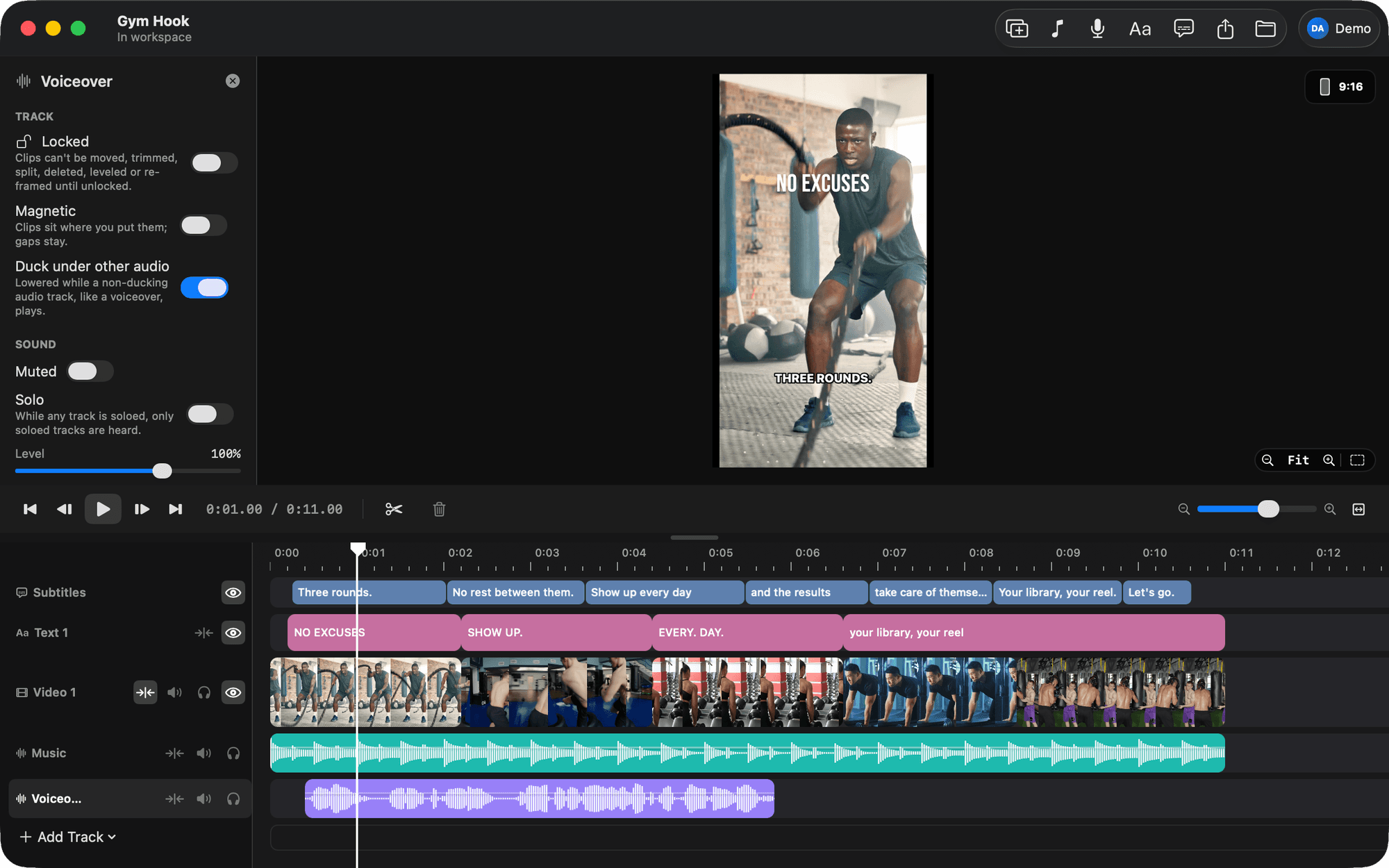
An agent can only do what you could do.
The agent works through the same code as the window, so it cannot reach a state the window can't, and it cannot skip a confirmation the window would ask for.
- Undo in the editor
Every change is one step in the app's undo stack, even a 40-clip import.
- Reads what you show it
The app draws frames and contact sheets for the model; it sees only what you export.
- Works in the running app
The agent drives the open app and launches it in the background when needed.
- No keys on the Mac
Model calls go through your account; there is nothing in a folder for an agent to leak.
Agent questions
- Is Claude Code support part of every plan?
- Yes. Only the work that calls a model spends AI credits; the trial comes with 300 to try it.
- Does the app have to be open?
- Claude Code talks to the running app and launches it in the background when it is not running.
- What can it break?
- The same things you can from the window, and each change is one undo away.
- Does it only work with Claude Code?
- Claude Code is what we build for and test with. Any agent that reads a CLAUDE.md-style guide works the same way.
- Do I need API keys?
- No. The app calls the models through your BetterApps account and spends credits. Nothing provider-related is stored on your Mac.
Open Claude Code in a folder of footage.
BetterEdits is free to try, and the guide is already in the folder.