 BetterLibrary
Your library, from a prompt.
BetterLibrary writes a guide into every library, so Claude Code can import, tag, filter and export while you watch the library update.
 BetterLibraryRead the library's guide. Searched the Library shelf for energetic gym footage by meaning: 3 portrait clips, all rated 4 or more.BetterLibraryExported the highlight of each as a lossless trim: Battle ropes, Boxing dummy, Dumbbell row.
 BetterEditsStarted a 9:16 video called Gym Hook in the workspace and put the three files on the timeline, 11 seconds.BetterEditsTranscribed the track into 7 caption bars in the Ink style, and added the title NO EXCUSES over the first clip.BetterEditsLooked at a contact sheet of the cut, then exported Gym Hook.mp4 at 1080 × 1920.
Three decisions that make it real.
Agents are only useful when the tool is honest about what it can do.
- 01
Every folder teaches the agent
When you create a library or a workspace, the app writes a CLAUDE.md into it: what the app can do, how clips, tracks, text and captions behave, and the house rules. Open Claude Code there and it already knows what to do.
- 02
You ask in a sentence
There is nothing to learn. Say what you want the way you would say it to a person; the agent reads the guide, does the work in the app, and tells you what it did.
- 03
Same rules as the window
The agent works through the same code the window uses. It cannot reach a state the window can't, and it cannot skip a confirmation the window would ask for.

Filters, searches and tags.
The library's three pillars from a prompt: bring a shoot in, fill your schema, and turn a sentence into a saved view. The sidebar updates while you watch.
- >Make a view of portrait clips rated 4 or more from this year, newest first.
- >Import everything in ~/Shoots/Tuesday, tag it, and describe each clip in one line.
- >Find the ten most cinematic drone shots from spring and export the best five seconds of each.
- >Tag everything from yesterday's shoot with my Category and Mood properties and mark the best five seconds of each clip.
- >Which clips from the Lisbon trip have no Setting yet? Fill it in and list what you changed.
BetterLibraryRead the library's guide: nine properties, Rating is a 1 to 5 scale.BetterLibraryBuilt the filter: orientation portrait, Rating at least 4, imported this year, sorted by newest.BetterLibrarySaved it as the view “Portrait, this year”. It matches 14 clips and is in the sidebar now.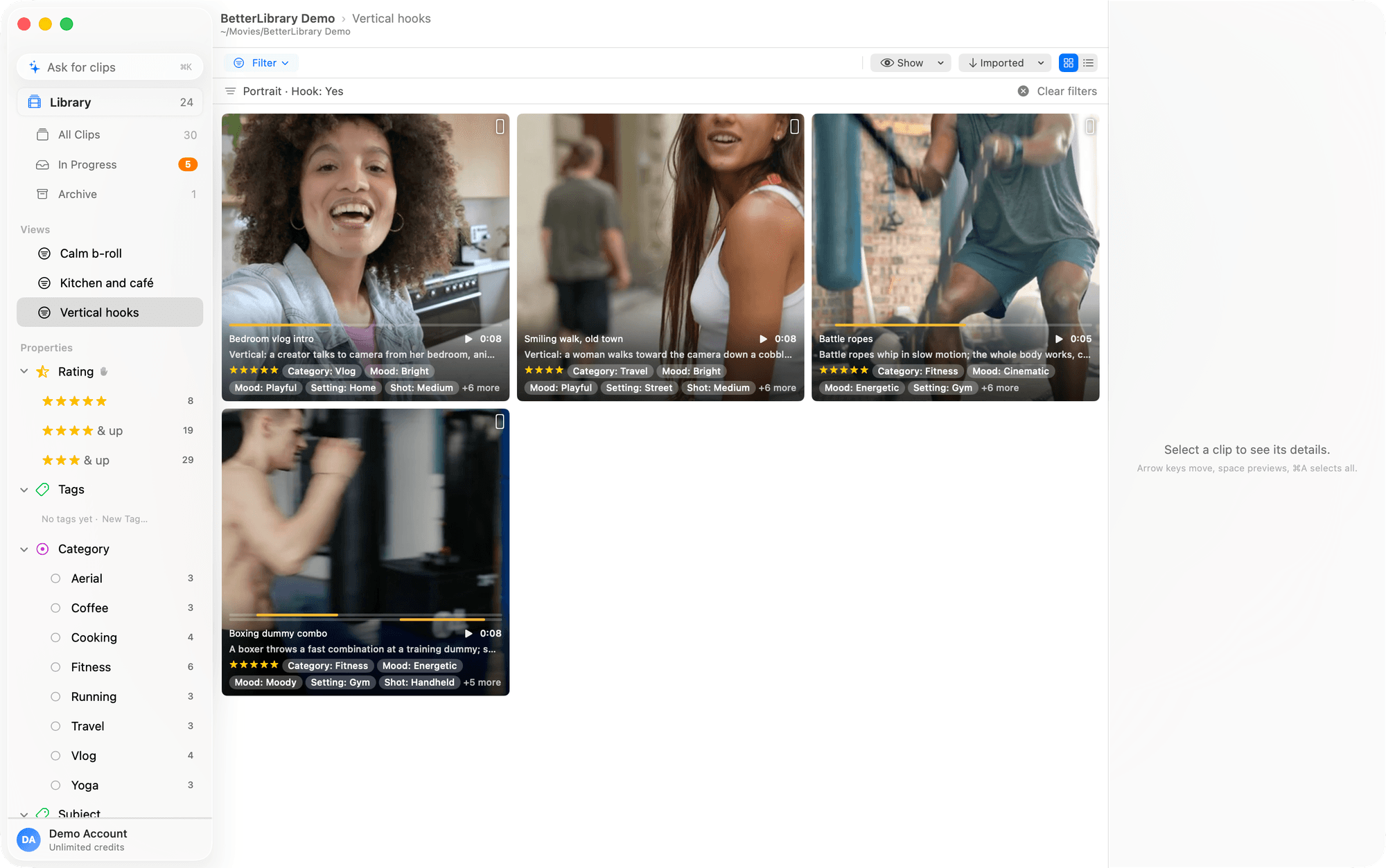
An agent can only do what you could do.
The agent works through the same code as the window, so it cannot reach a state the window can't, and it cannot skip a confirmation the window would ask for.
- Imports are copies
Nothing is moved out of your shoot folders; the library keeps its own originals.
- Named where it cuts
The guide names the only two actions that delete or reset, and deletes go to the Trash.
- The app reloads live
If the window is open it reflects every change at once; the agent works on the library itself.
- No keys on the Mac
Model calls go through your account; there is nothing in a folder for an agent to leak.
Agent questions
- Is Claude Code support part of every plan?
- Yes. Only the work that calls a model spends AI credits; the trial comes with 300 to try it.
- Does the app have to be open?
- No. Claude Code works on the library itself; the app reloads live if it is open.
- What can it break?
- The same things you can from the window. Imports are copies, deletes go to the Trash, and the guide tells the agent that reset and delete are the only actions it cannot take back.
- Does it only work with Claude Code?
- Claude Code is what we build for and test with. Any agent that reads a CLAUDE.md-style guide works the same way.
- Do I need API keys?
- No. The app calls the models through your BetterApps account and spends credits. Nothing provider-related is stored on your Mac.
Open Claude Code in a folder of footage.
BetterLibrary is free to try, and the guide is already in the folder.